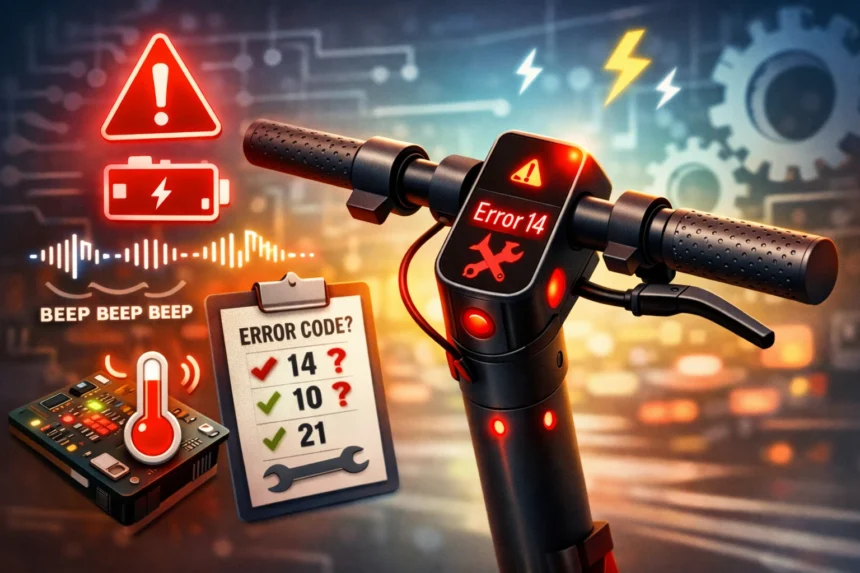
If your Xiaomi scooter starts beeping, shows a red wrench icon, or flashes a fault number on the dashboard, it is trying to tell you something specific. In most cases, the scooter is pointing you toward the part or system that needs attention. That could be the throttle, brake sensor, controller, battery communication, or temperature sensor.
- How Xiaomi scooter beep patterns work
- Common Xiaomi scooter error codes
- What to check first before assuming the worst
- 1. Check the throttle
- 2. Inspect the brake lever
- 3. Look at charging basics
- 4. Watch for temperature issues
- When a reset can help
- When you should stop riding immediately
- Why these fault codes are actually useful
- Final thoughts
This is why Xiaomi scooter fault codes matter. They are not random warnings. They help you narrow the issue down fast, so you do not waste time guessing or replacing the wrong part.
If you want a more detailed breakdown with examples and beep patterns, check this guide on Xiaomi Scooter Error Codes.
How Xiaomi scooter beep patterns work
Xiaomi scooters often use beep patterns to show fault codes. A long beep usually stands for 10, and a short beep stands for 1. Add them together, and you get the code.
For example, one long beep and four short beeps means error 14.
That small detail can save a lot of time. Instead of panicking when the scooter starts beeping, you can listen, count the sounds, and then match the result to the likely problem.
There is also one easy thing many riders miss. If the scooter keeps beeping and stays locked to a low speed, it may not be broken at all. Sometimes the scooter simply has not been activated in the app yet. In that case, the warning can stop after setup is complete.
Common Xiaomi scooter error codes
Here are some of the most common Xiaomi scooter error codes and what they usually point to.
Error 10. Bluetooth communication issue
Error 14. Throttle fault
Error 15. Brake hall sensor issue
Error 18. Hall sensor exception
Error 21. Battery communication error
Error 22. Battery password error
Error 23. Battery serial number issue
Error 26. Controller exception
Error 27. Main control password error
Error 28. Controller issue
Error 29. Controller issue
Error 31. Controller exception
Error 35. Serial number not changed from default
Error 39. Battery temperature sensor issue
These codes can look intimidating at first, but most of them follow a simple pattern. If the code relates to input parts like the throttle or brake, check those first. If the code points to the controller or battery, the issue is usually more serious.
What to check first before assuming the worst
It is easy to think the scooter needs a major repair as soon as an error code appears. Sometimes that is true, but often it is worth checking a few basic things first.
1. Check the throttle
If you see error 14, look at the throttle right away. Make sure it moves smoothly and returns properly after you release it. Dirt, wear, or a damaged cable can all cause trouble here.
A sticky or loose throttle can trigger false readings, and that can make the scooter beep or stop delivering power normally.
2. Inspect the brake lever
If the scooter shows error 15, the brake hall sensor may be the problem. Start by checking whether the brake lever returns fully to its normal position. If it feels stuck, too tight, or partly engaged, the scooter may think you are braking even when you are not.
When that happens, the motor may not respond to the accelerator.
3. Look at charging basics
If the scooter is not charging properly, do the simple checks first. Plug the charger into the wall, then see if the indicator light behaves as expected. After that, inspect the charging port for debris, bent parts, or signs of damage.
This step sounds basic, but it helps more often than people think.
4. Watch for temperature issues
If your Xiaomi scooter shows a temperature warning or gives battery-related errors, stop and let it cool down or warm up to a normal temperature. Batteries do not like extreme heat or cold, and performance can drop when conditions are not right.
Sometimes the warning clears once the battery returns to a safe range.
When a reset can help
A reset can sometimes solve small software or pairing issues. It is most useful when the scooter has trouble connecting to the app, keeping settings, or completing setup.
On many Xiaomi scooters, riders try a reset when the dashboard acts strangely or when pairing fails after an update. That can help in some cases, but it will not fix a real hardware fault.
So, if the issue is tied to the throttle, controller, battery communication, or temperature sensor, a reset is probably not the real solution. It may clear the symptom for a moment, but the fault usually comes back.
When you should stop riding immediately
Some Xiaomi scooter errors are more than just minor warnings. You should stop riding if:
the scooter loses motor power
the speed suddenly drops to a very low safety limit
the scooter keeps showing battery-related faults
the controller faults keep returning
the scooter feels unsafe, jerky, or unresponsive
This matters because a battery or controller issue can affect how the scooter accelerates, brakes, or protects itself under load. That is not something to ignore.
If you keep riding with a serious electrical fault, the problem can get worse, and it may also become a safety risk.
Why these fault codes are actually useful
Error codes can feel frustrating, but they are helpful when you know how to read them. They give you a starting point. That means you can stop guessing and start checking the right area first.
For many riders, the real issue is not the code itself. It is not knowing whether the fault is small or serious.
A throttle issue may be simple to spot. A brake lever problem may be easy to test. But battery and controller faults usually need more caution, and sometimes professional service is the better path.
Final thoughts
If your Xiaomi scooter starts beeping or flashing a fault code, do not ignore it, but do not assume the worst right away either. Start with the code, match it to the likely system, and then inspect the obvious parts first.
If the scooter only needs activation, that is an easy fix. If the code points to the throttle or brake, a quick check may reveal the problem. But if the warning involves the battery or controller, it is smarter to stop riding and treat it seriously.
The good news is that Xiaomi scooter error codes are there for a reason. Once you understand what they mean, troubleshooting gets a lot less stressful.